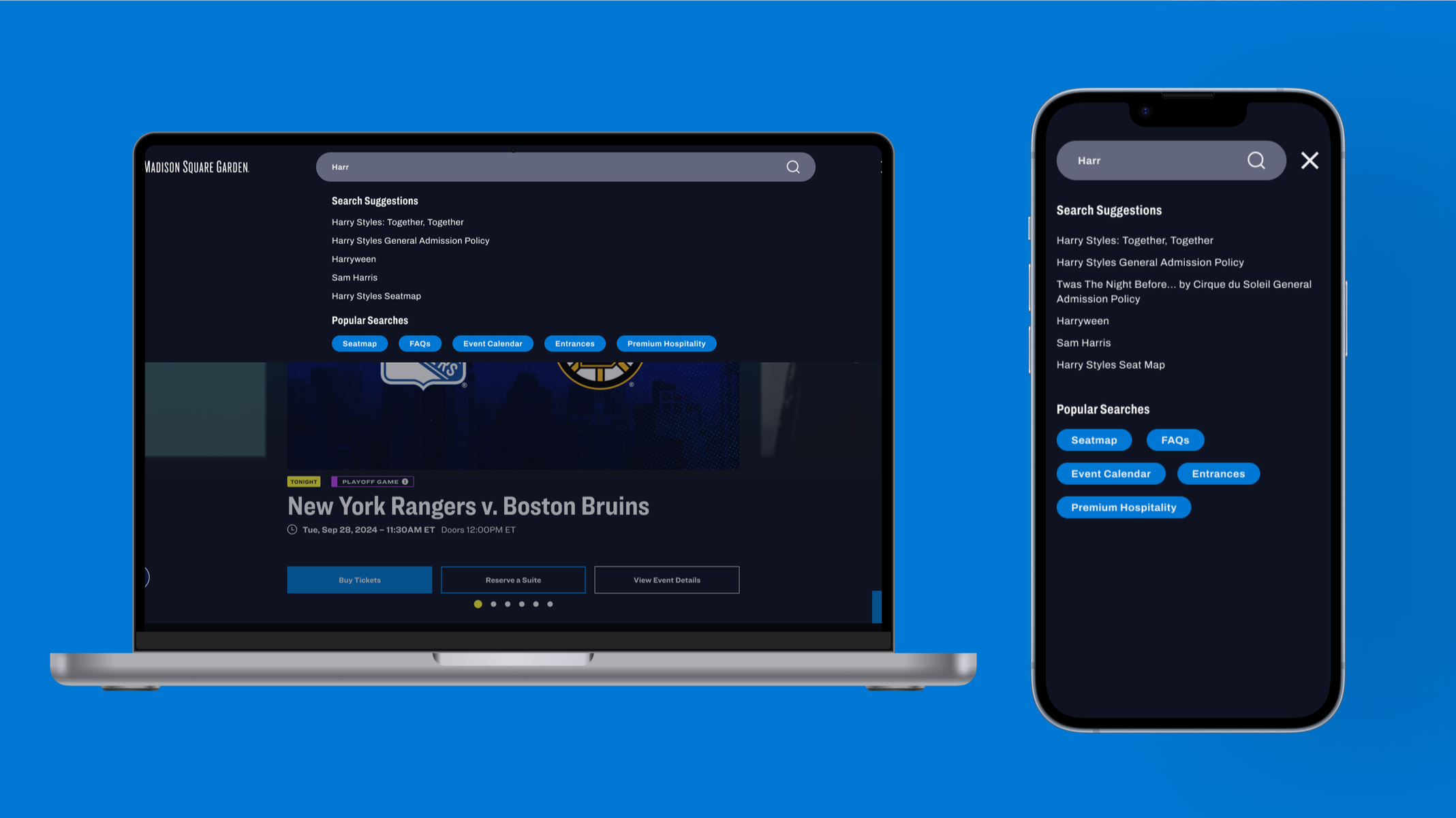
Redesigning Madison Square Garden’s Website Navigation
The Problem:
MSG.com users were having difficulty searching the site for the events and information they wanted. How might we make the website easier to use and improve event findability?
Skills:
Wireframing, User research, Competitive Analysis, UX Design, Prototyping
Software:
Figma, UserTesting
Role:
Lead Product Designer, User Researcher, Prototyper
Phase 1: Improving the Navigation Bar
Research
In the spring of 2023 my director, manager and digital strategy coworkers identified some spaces on our site that could use improvement and would help increase revenue - this included site navigation. They suspected our site navigation could be improved, and secured a budget for the 2023-24 fiscal year.

Site Navigation Bar in 2023
In early 2024, I conducted several user research studies using unmoderated UserTesting sessions to learn how users were navigating MSG.com. On desktop, I found that the users were having trouble with our navigation bar, especially when trying to navigate between venues. A problem that had come up at the company was brand awareness. Most people don’t know that Madison Square Garden owns several other venues including Radio City, the Beacon Theatre, the Chicago Theatre and the Infosys Theater (which has changed names 2x during my tenure at MSG). A positive of the current design at that time was there were multiple ways for users to find what they were looking for. On mobile, we found similar issues with cross-venue navigation, as well as a heavier reliance on search - most users tried to find an event by using search.
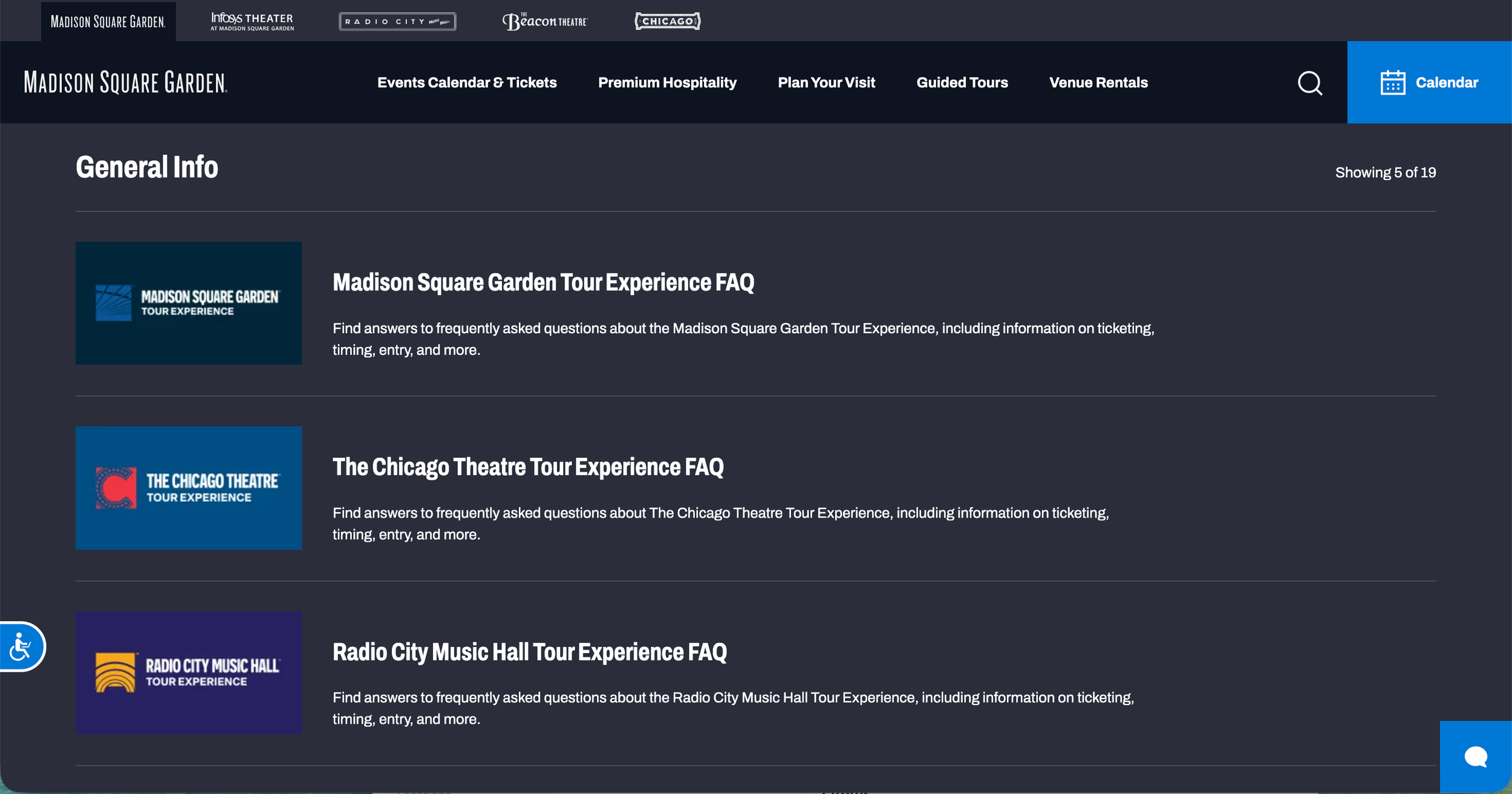
The problem with users relying on search was that our search functionality was not up to most site’s standards. For example, if you searched “MSG FAQ,” the first result would be a seat map page. This causes a lot of confusion for users. However, we had not budgeted to improve our search experience at this time, so we put this in a backlog of projects to work on in the future. Our priority became making a top navigation experience that was so easy to use it would circumvent the need to use the search at all.
Wireframing
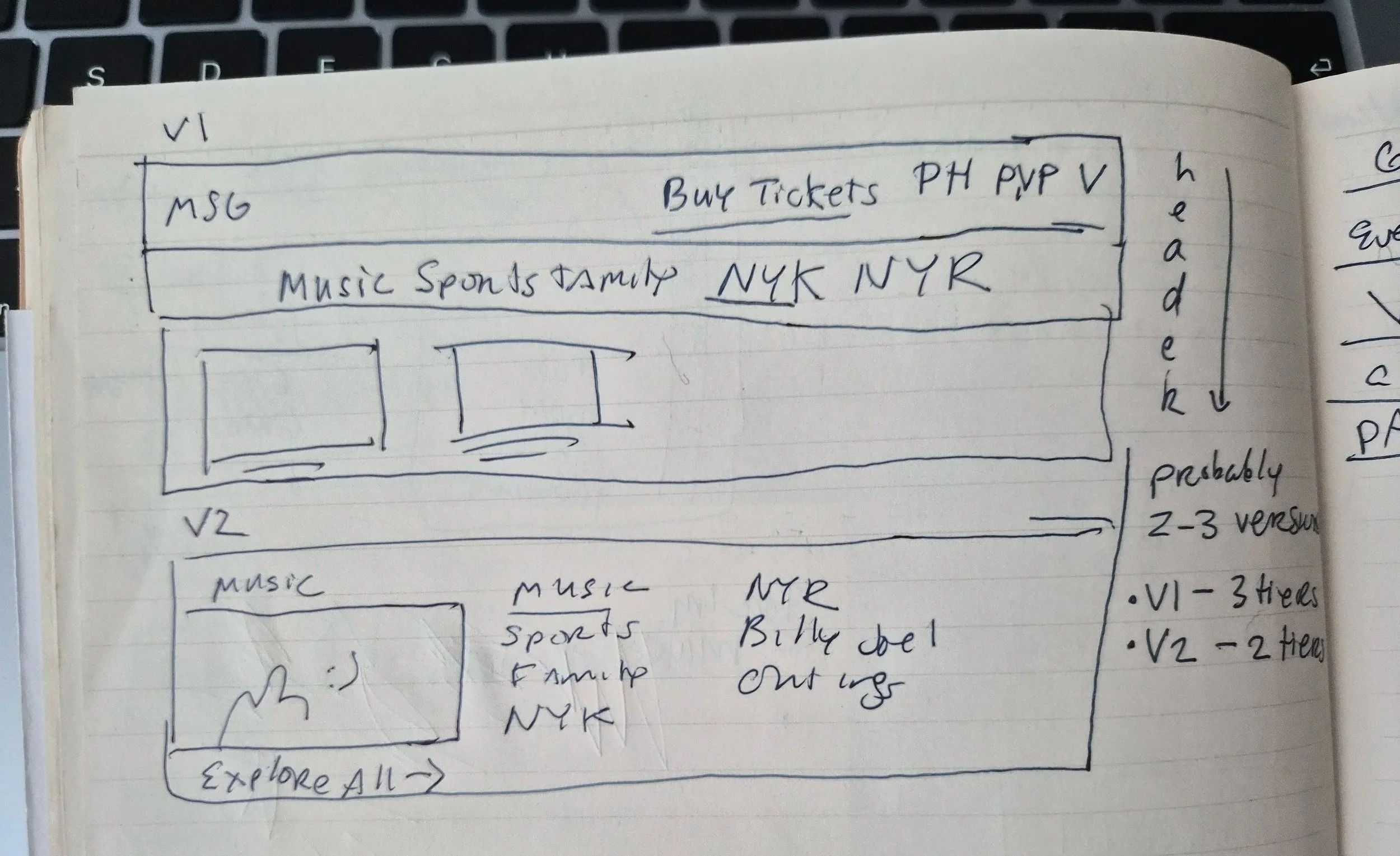
My manager asked me then to make wireframes exploring different top navigation ideas. First, I drew some quick sketches in my notebook:
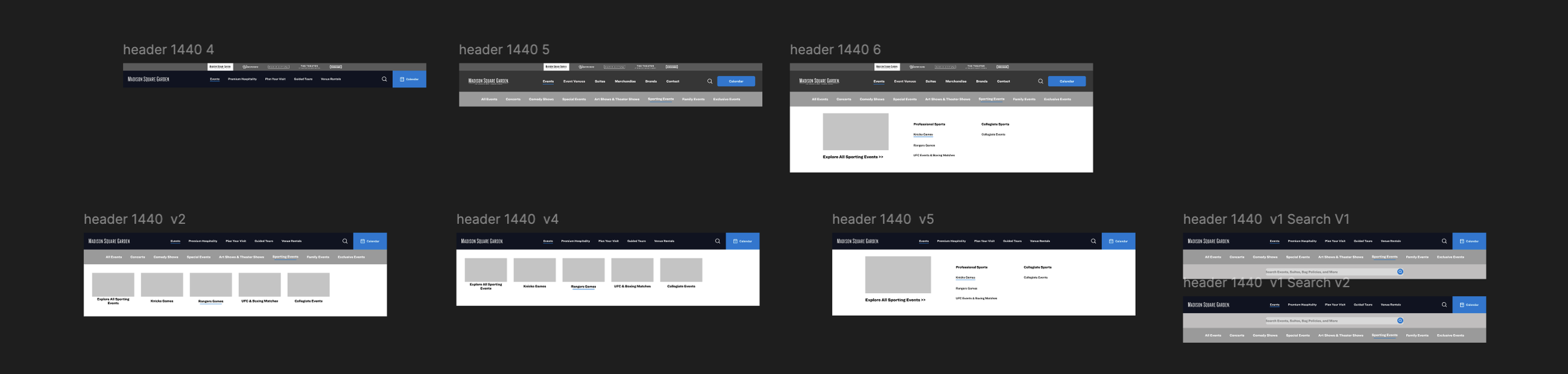
I sketched some more ideas in Figma.
My director also suggested an idea for a navigational bar similar to Old Navy’s to show our different brands on the top of the page (insert image).

I worked on incorporating this in my wireframes, before handing off the project to my manager to work on high-fidelity designs. Here are the final wireframes:


Final Prototype
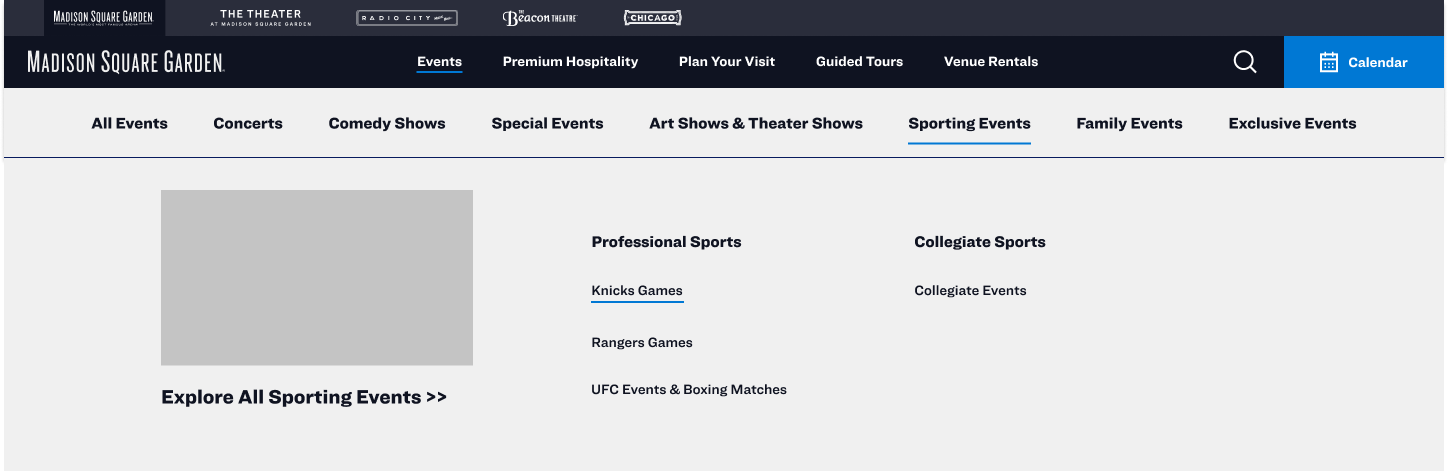
This is the final live site with all three layers of navigation opened. My manager added the final touches for this project,

The net promoter score increased 72% from these improvements.
Phase 2: Updating the Search Experience
Research + Planning
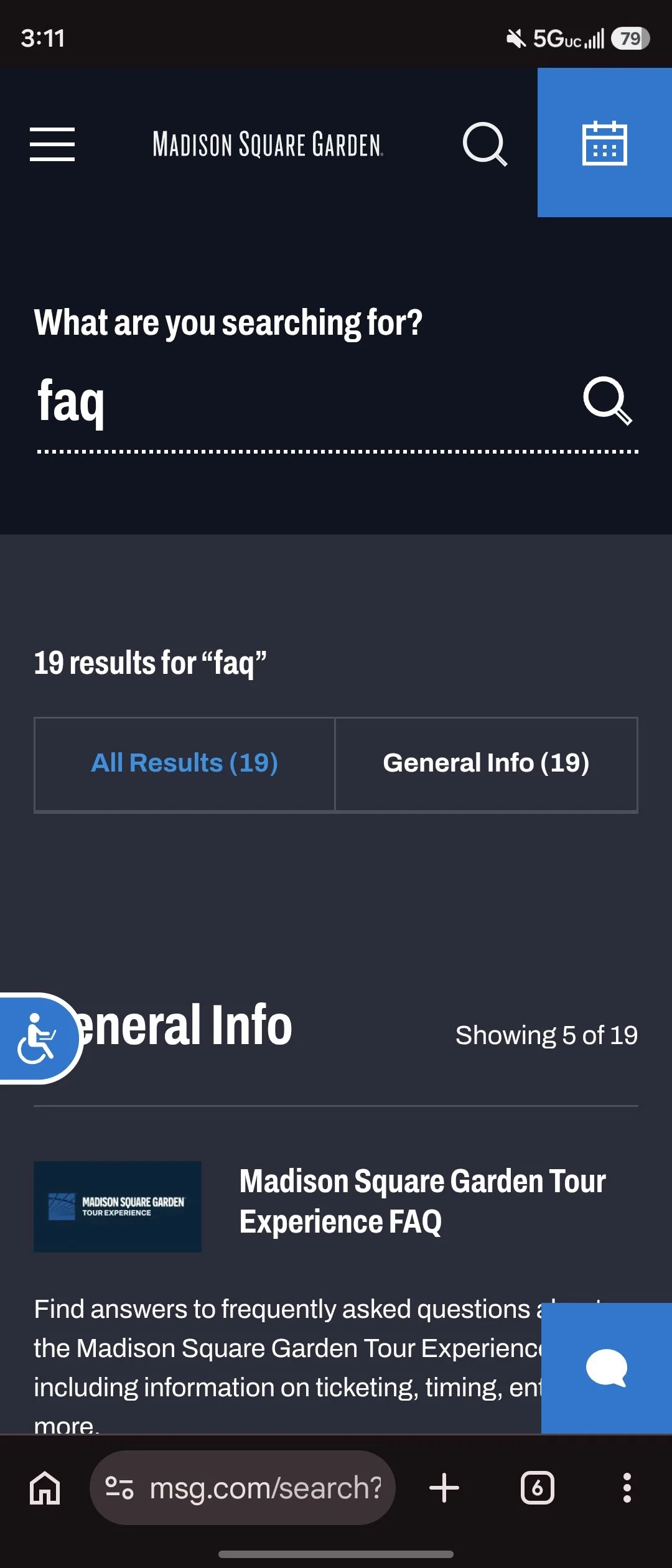
For the fiscal year 2025-26, my team had acquired a budget to work on the search functionality. Unfortunately, there was company restructuring which led to layoffs and other budget cuts, which left me without user research tooling, and as the only product designer at the company. Here was the state of the search experience before I began working on it.
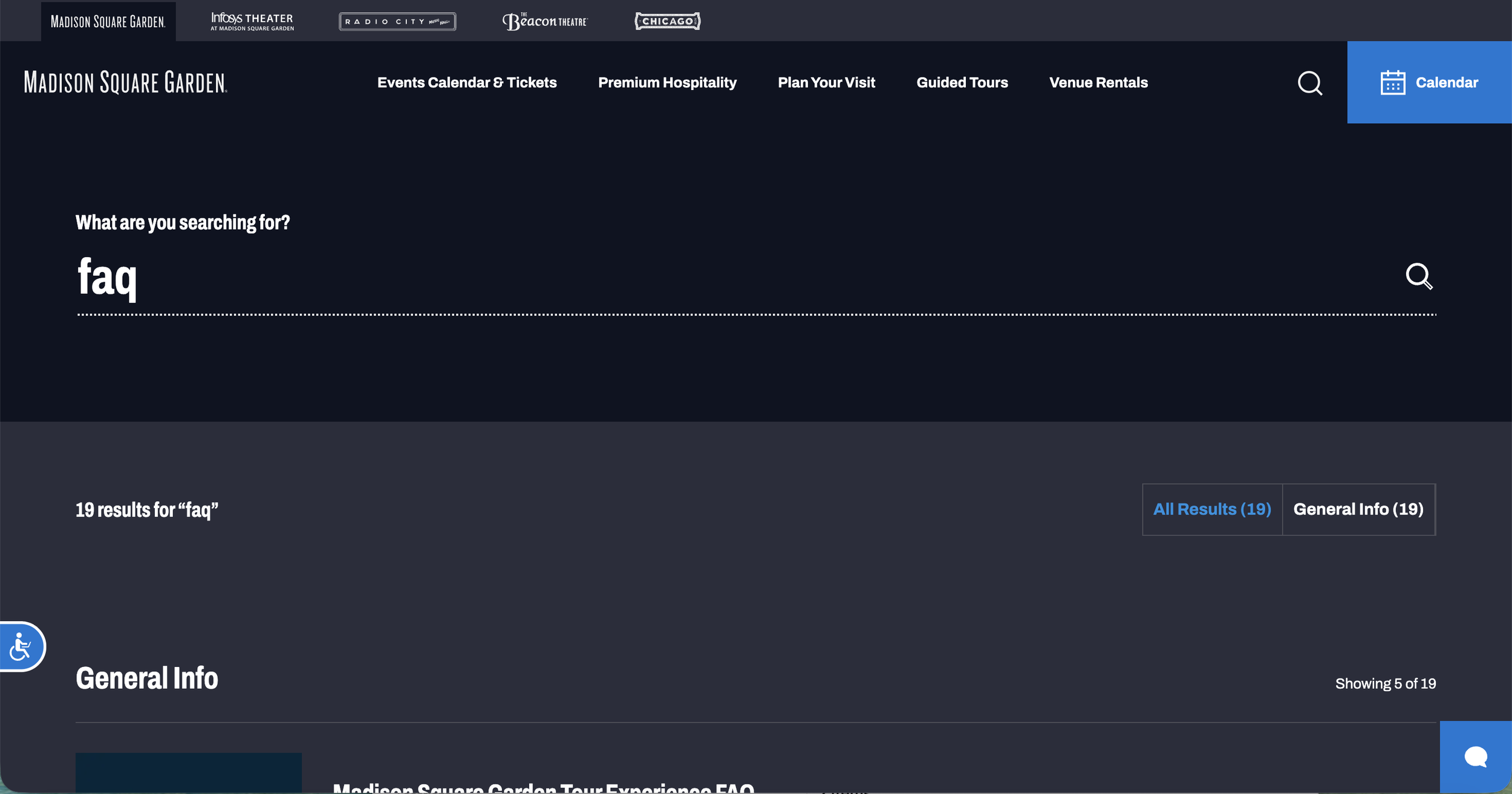
The old search function
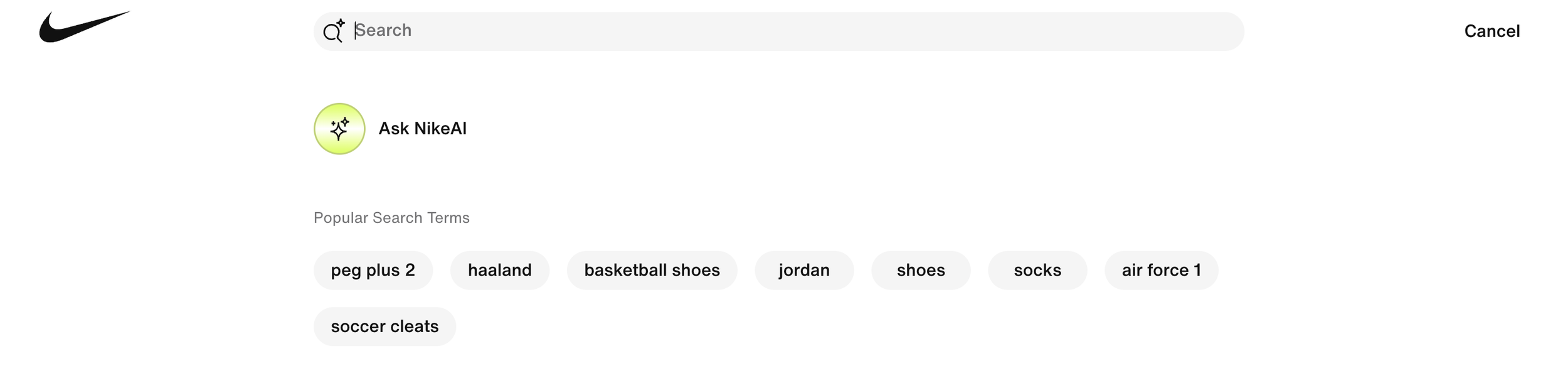
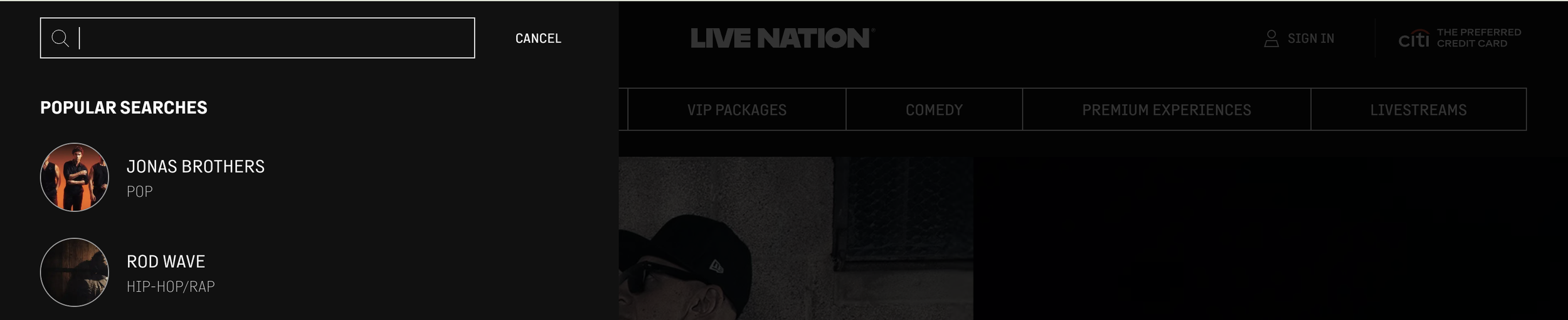
In lieu of user research, I worked with the stakeholders in the live entertainment marketing department and engineering to complete some competitive analysis to identify best-in-class examples of search that were relevant to our site. After we had worked so hard to create a great top nav experience, the problem we faced was how to get the search bar to overlay without sacrificing the top nav experience, especially on the desktop. We determined Nike and LiveNation to be good examples to use as inspiration for the new design. We identified other features that we wanted to include such as Nike’s popular search terms - we decided for our use-case these would be controlled by CMS and the marketing team could manually choose which pages they wanted to promote. We also liked the idea of having a type-ahead feature.
Wireframing + Design
Once I got this information, I began sketching in my notebook. Here are some early sketches:
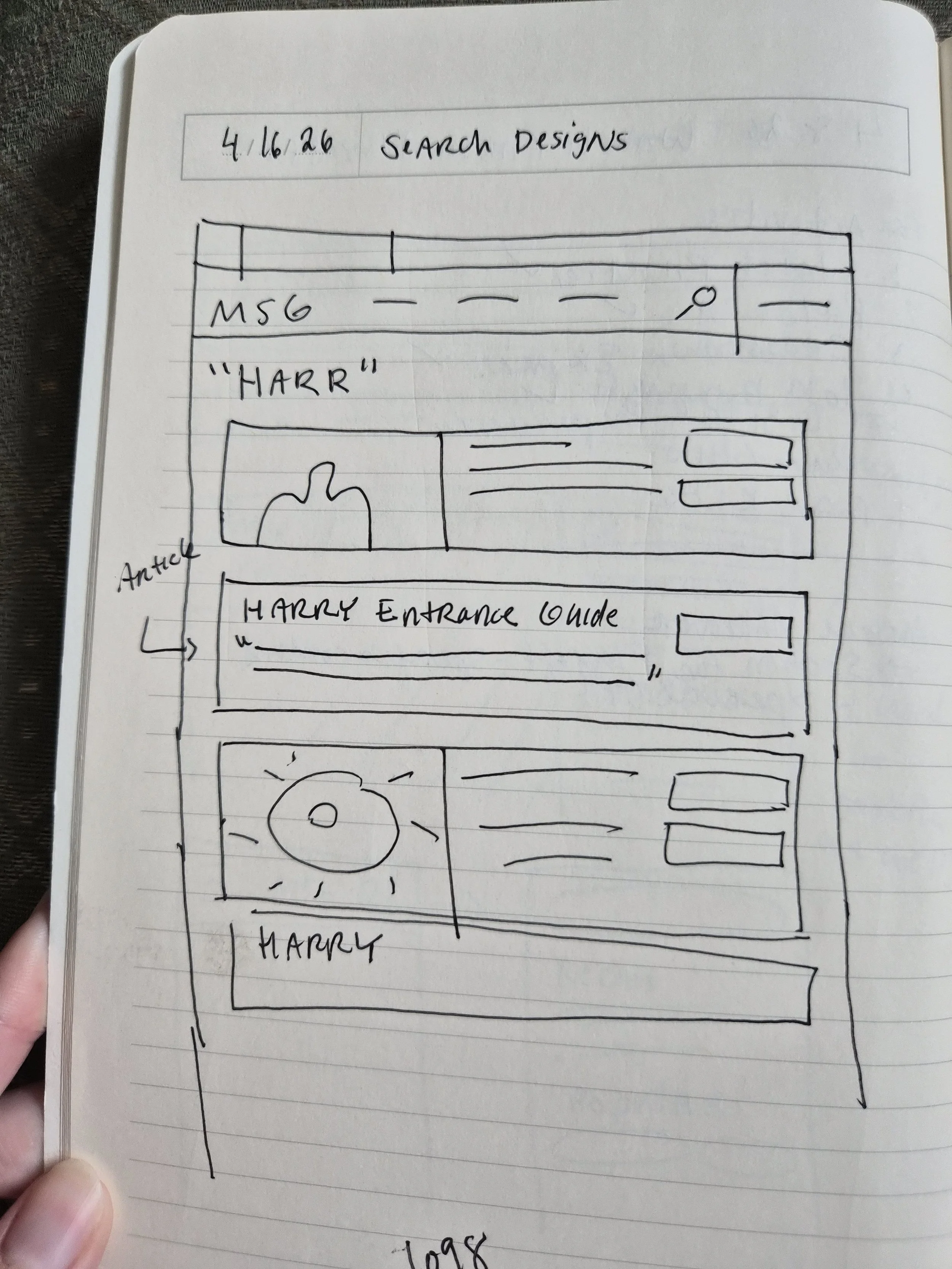
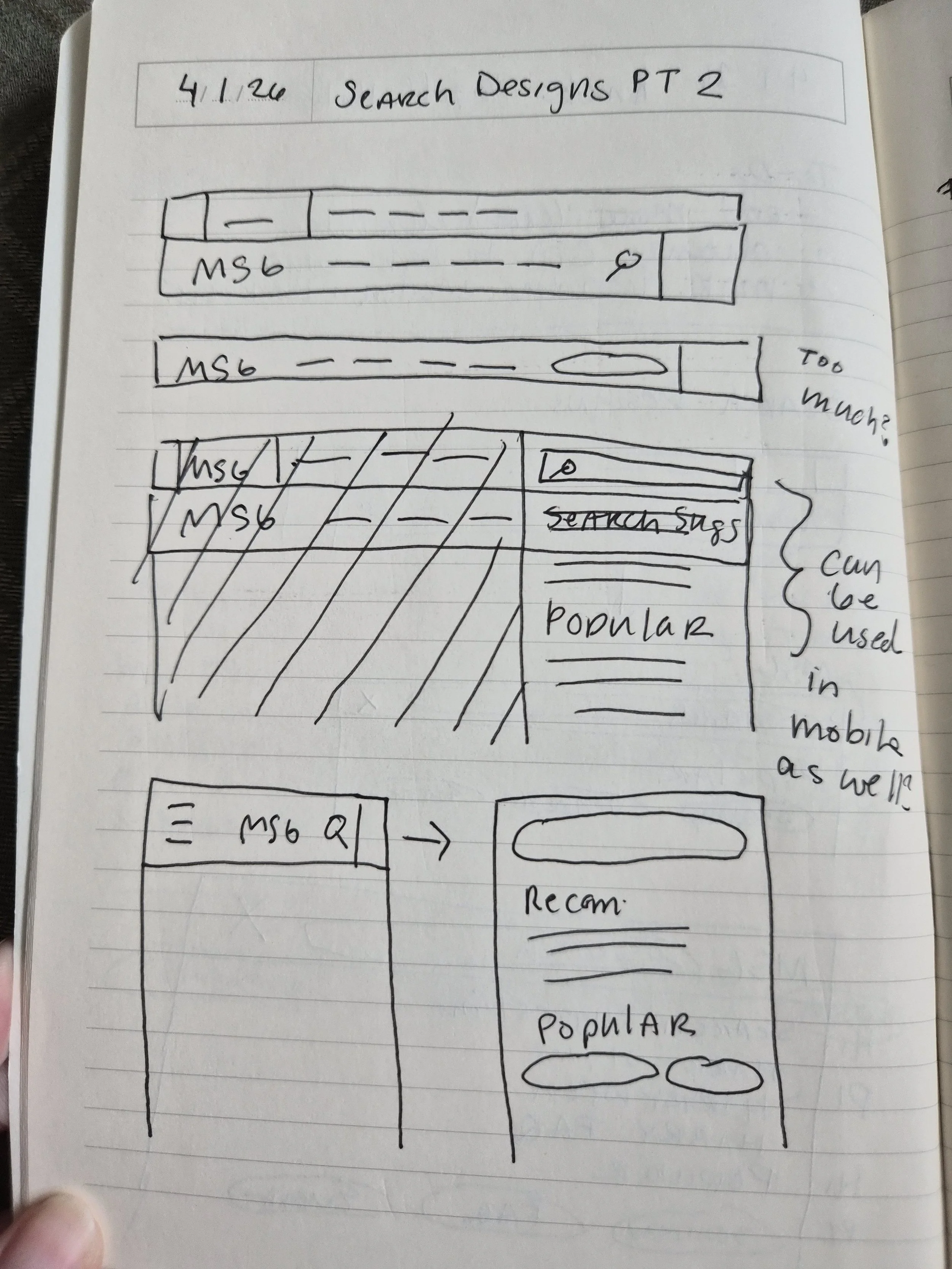
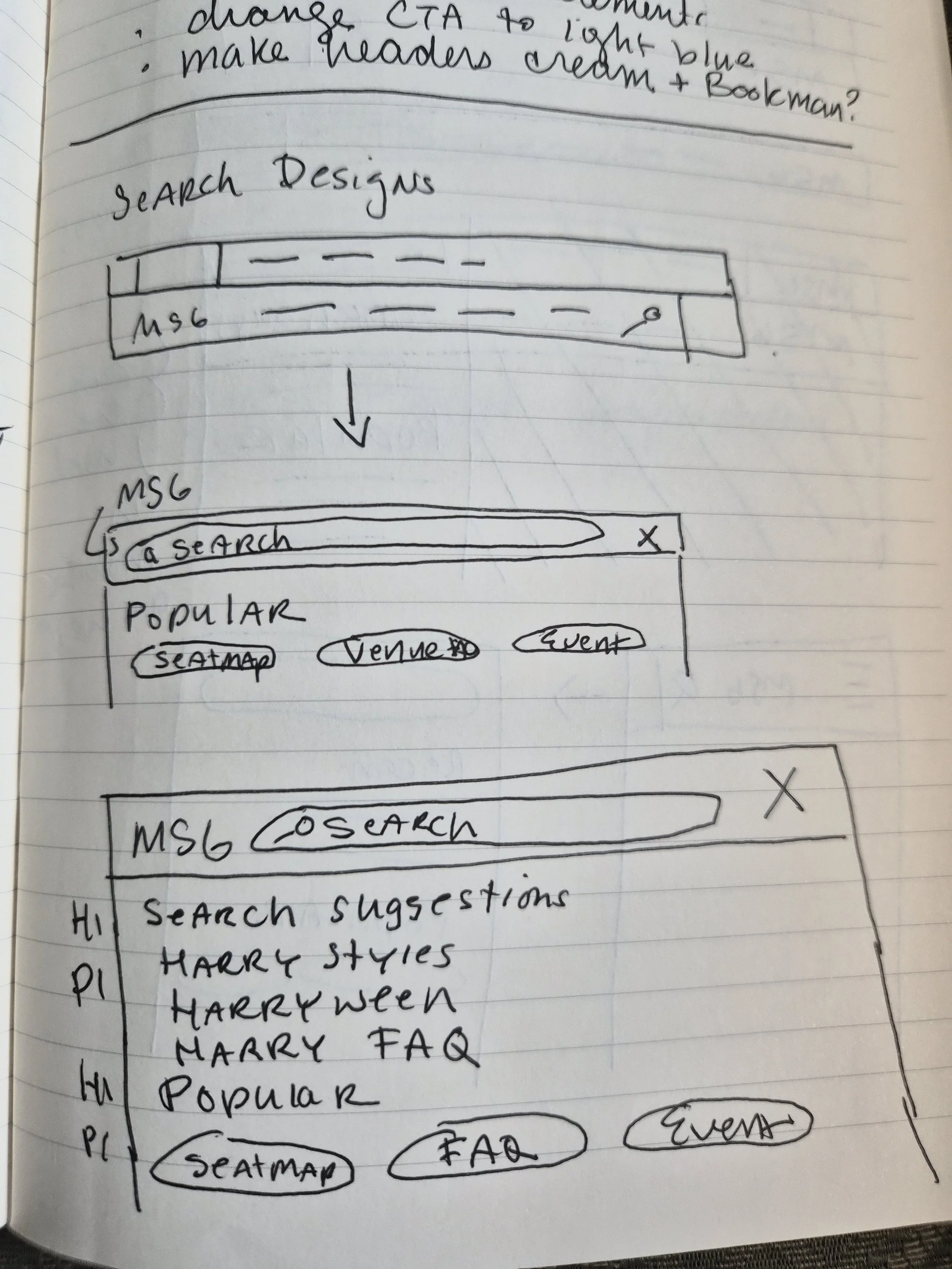
Then I went into Figma and began designing two different experiences for the search feature - one inspired by each example for desktop. I designed one option for mobile since its top nav was structured differently. I then prototyped each experience in Figma so the stakeholders could easily envision what the interactivity would look like.
Version 1
Version 2
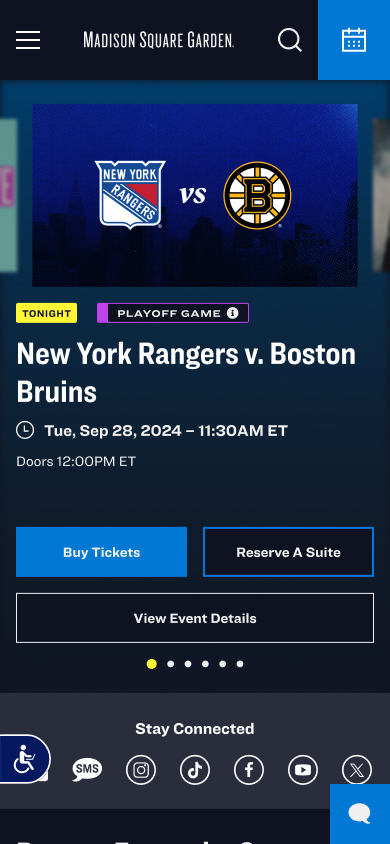
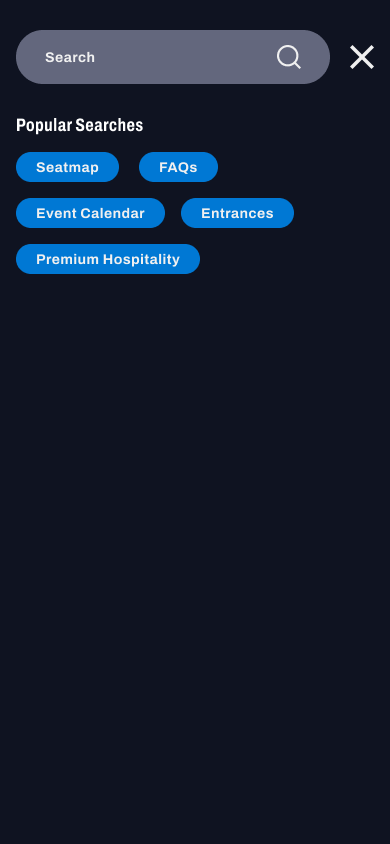
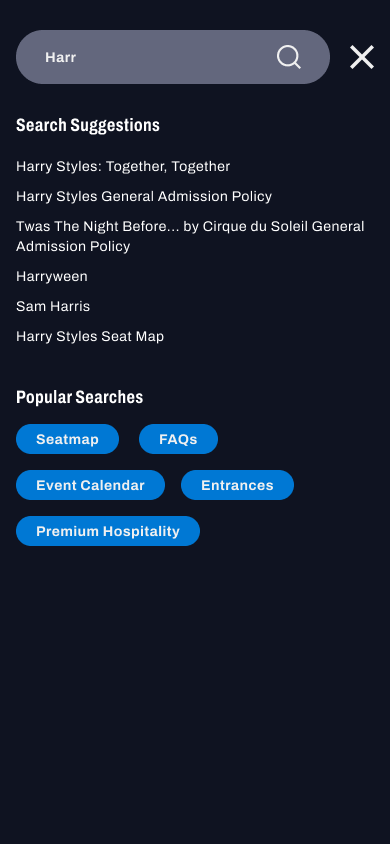
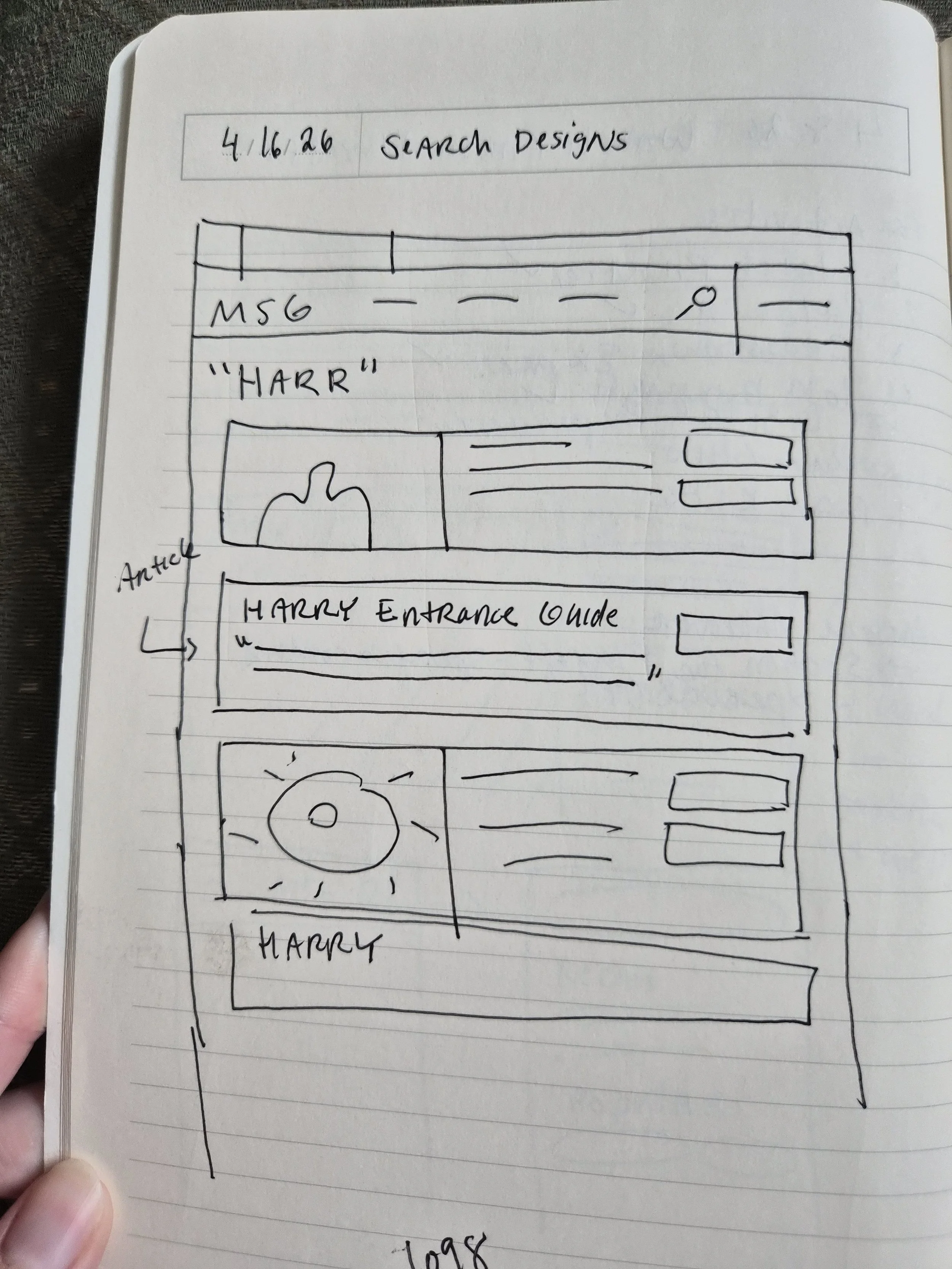
On the first view, the stakeholders preferred V1 as the direction for the search bar experience. They weren’t quite sold on the design of the search results though, and asked for some further exploration. I sketched some more ideas on what the search results page could look like.
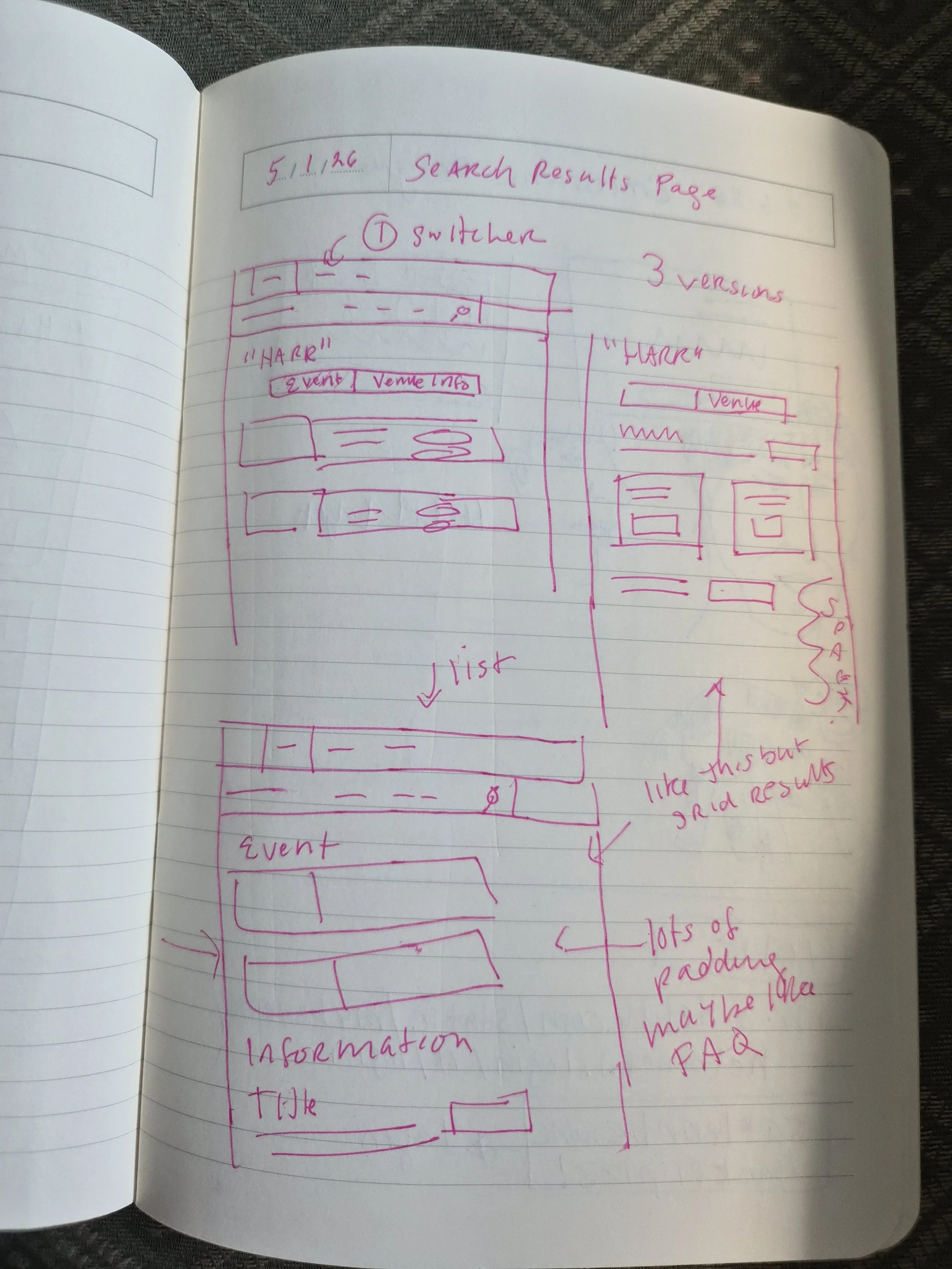
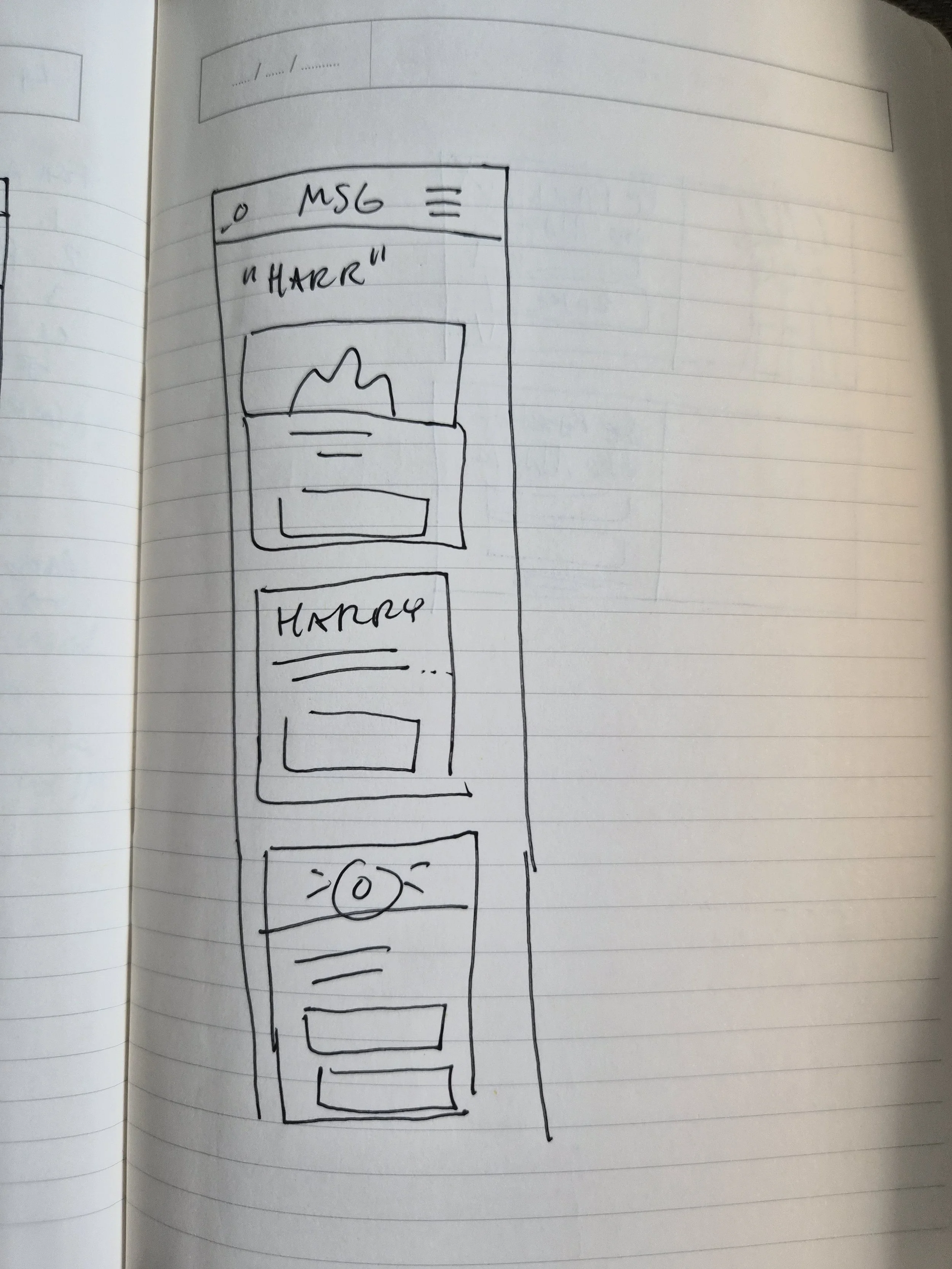
Then, I created some high-fidelity designs in Figma.
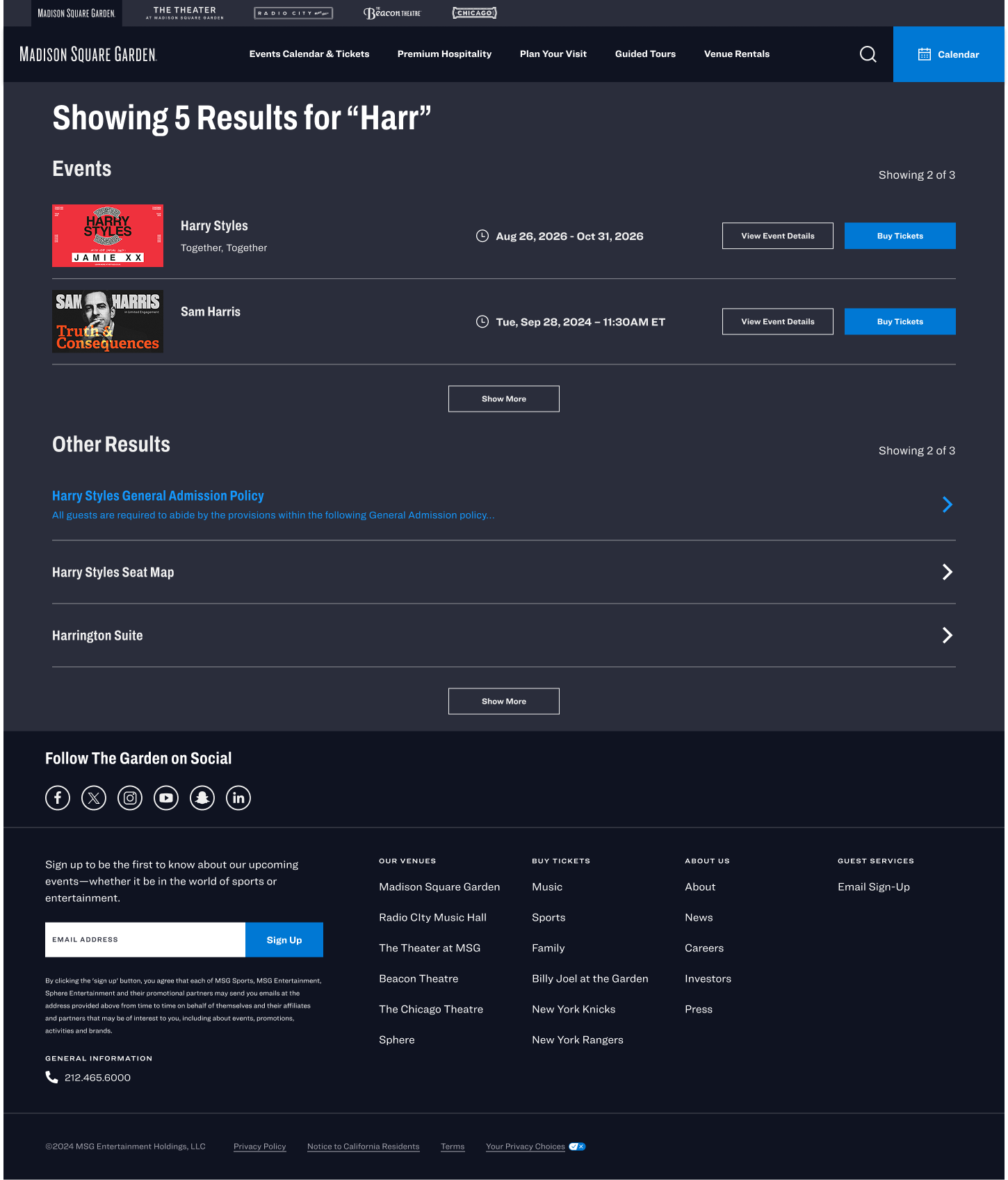
The main stakeholder who would be approving the changes wanted to have the search results separated because on the current site at that time the results were separated into events and landing pages like FAQs, seatmaps, food and beverage, etc. I pushed back arguing that this would lead to a more confusing experience, but she insisted that that was what would be best for the company and to sell tickets, by giving more visibility to events.
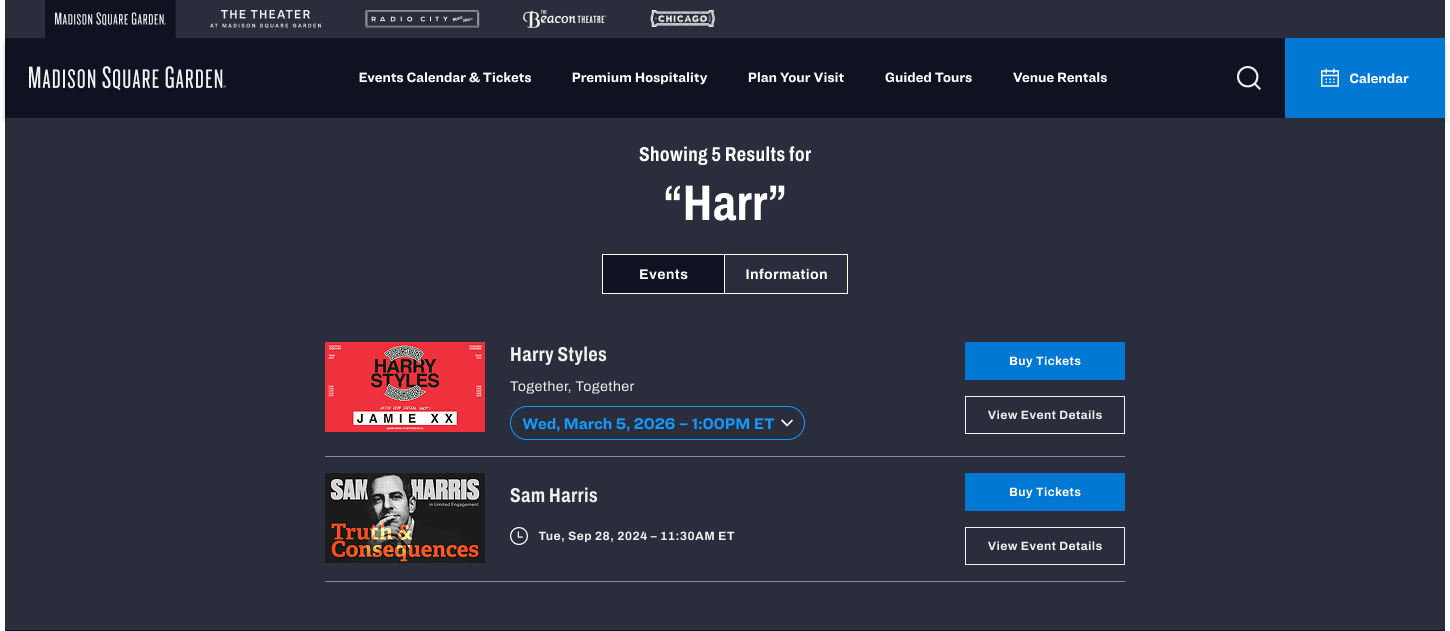
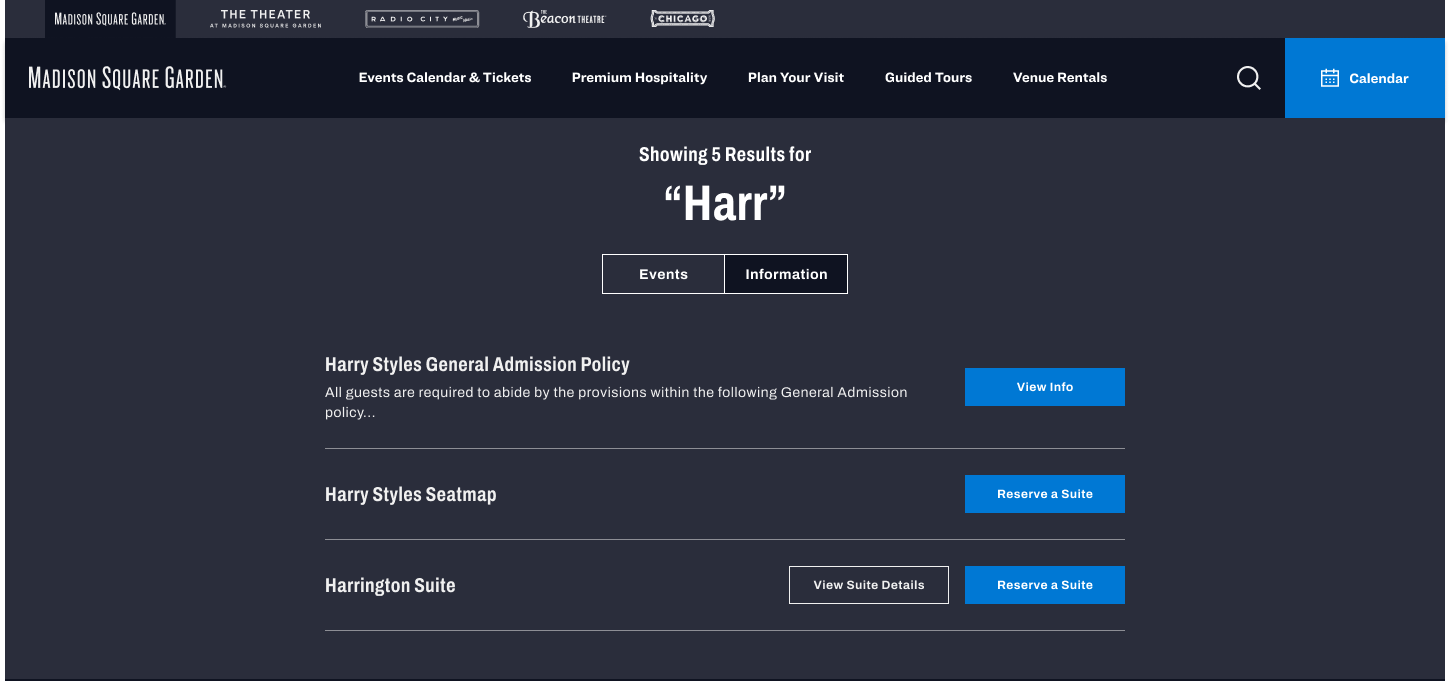
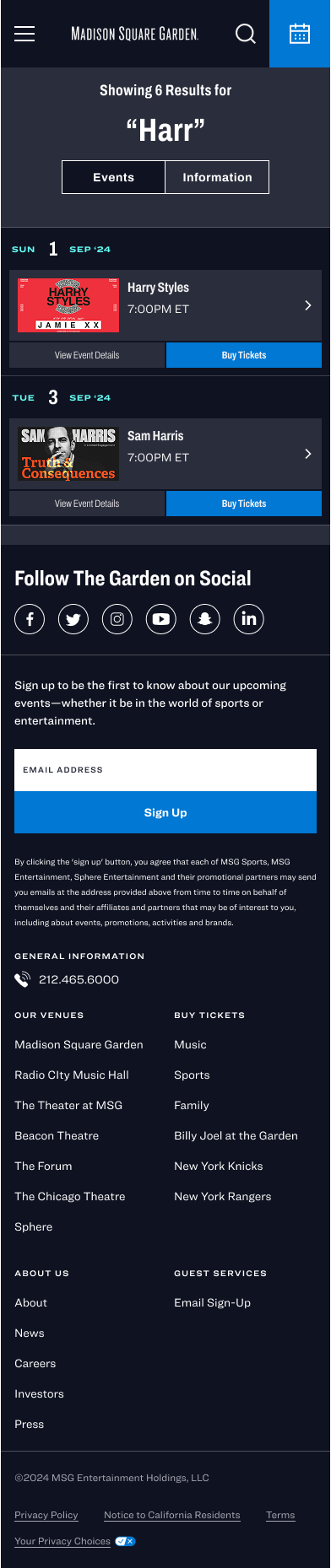
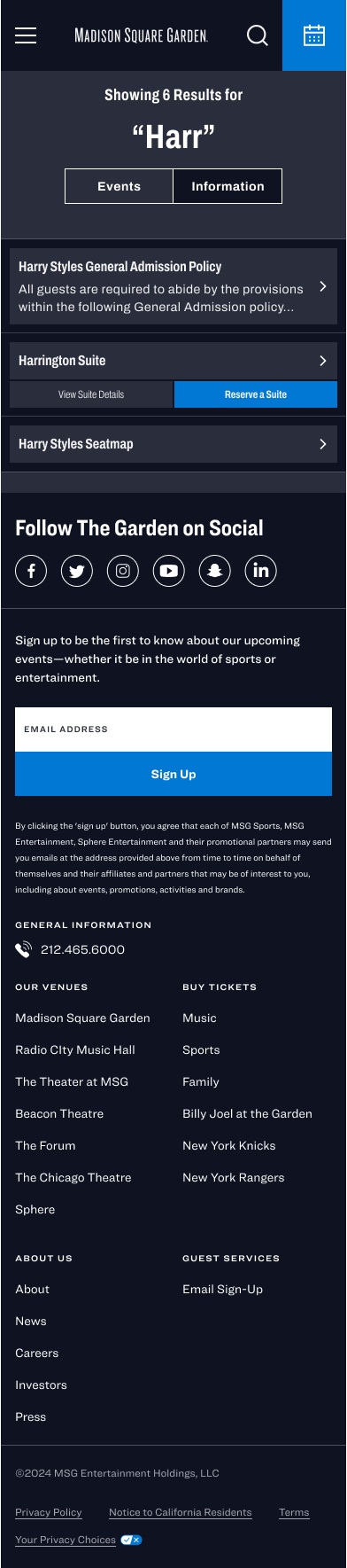
V1 with Switcher beteen Events and Information
V2
V1 with Switcher
V1 with Switcher

V2
I then explored two options for the search results page. V1 which had a switcher between events and general information landing pages, and V2 which had events listed on the top, and the general information landing pages listed below. They preferred V2.
Final Prototype + Next Steps
Here are the final screens. The experience is now live on the website. To use it, click here and click the search icon.
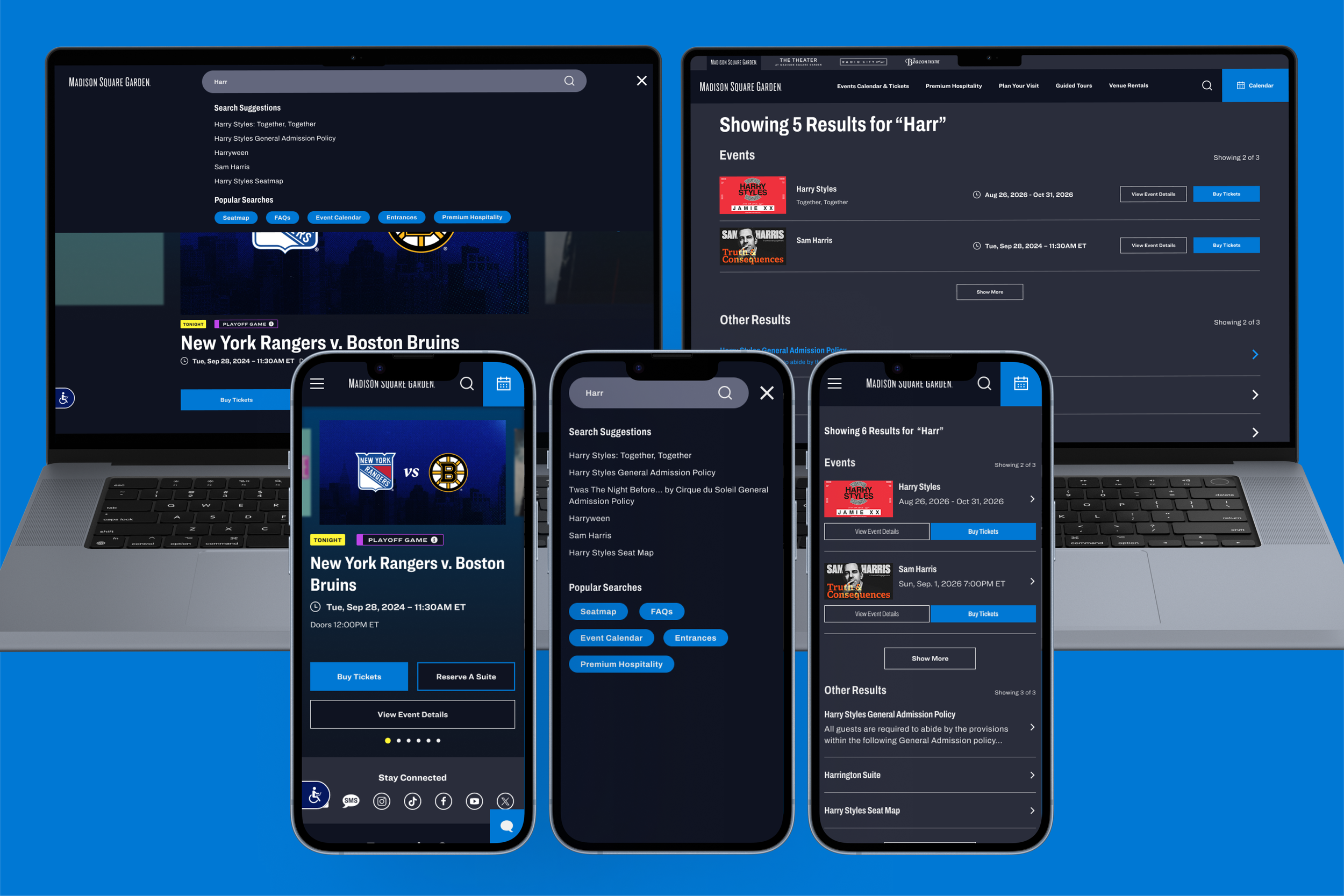
This was one of the last projects I handed off before I left my job, so I was unable to QA the experience. I think I would have provided some margin and spacing feedback on the search results page. I also would have asked for the animation I created in Figma to be replicated on the live site.
More importantly, if I had access to UserTesting during this process, I would have loved to run a test with users to measure ease of use and to see how easily they would find what they needed. From there, I would have taken that feedback and incorporated it into the designs, or identified areas for future improvement.